Progress Pulse
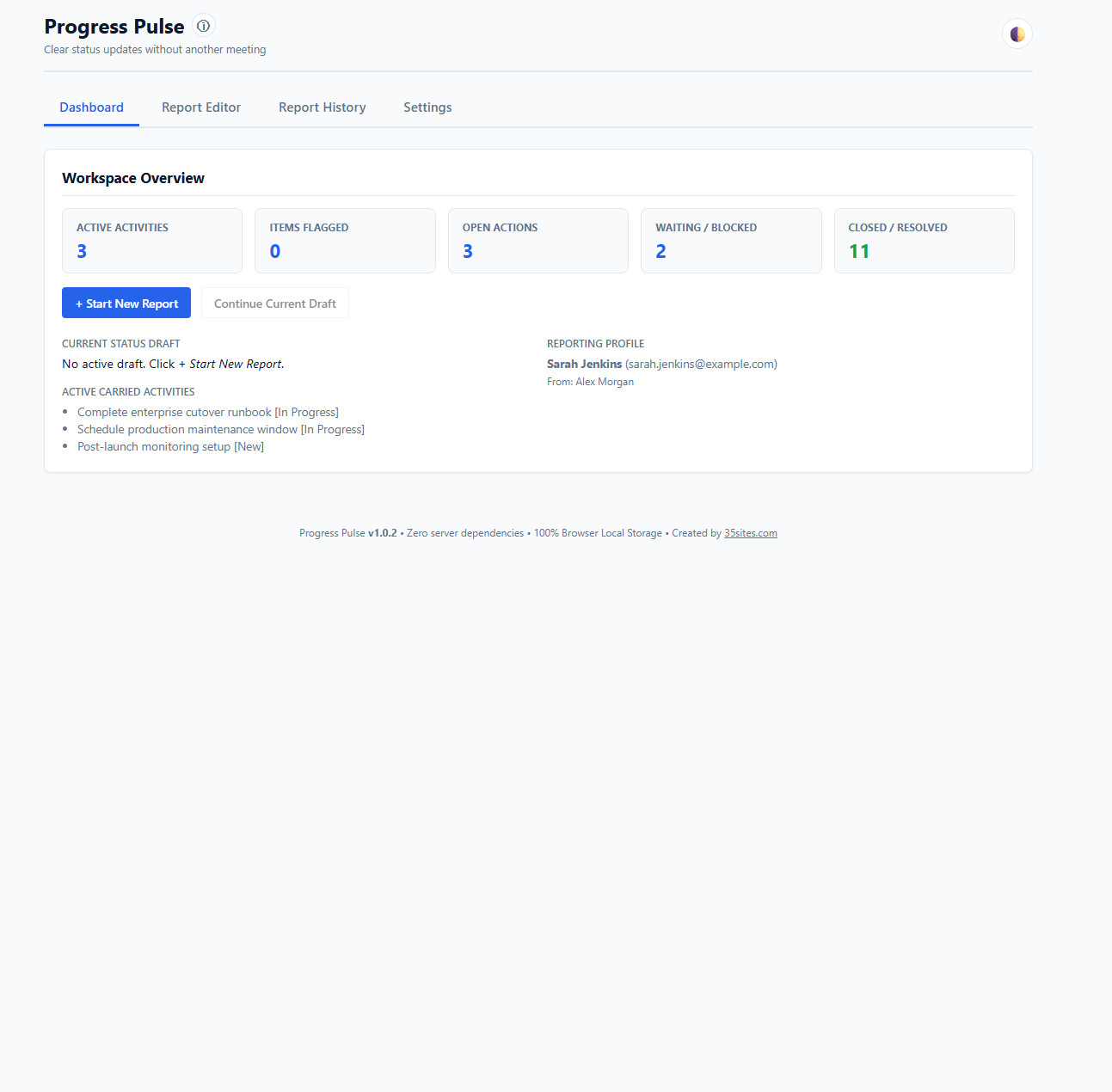
Progress Pulse gives employees a simple, consistent way to organize their work, track open items, flag what needs attention, and prepare a professional status update for their manager.
Status reporting shouldn’t require another system.
Managers need visibility. Employees need a simple way to communicate what they’re working on, what changed, what is waiting, and where help may be needed.
Progress Pulse creates that structure without introducing another account, another cloud platform, or another complicated project-management system.
Everything You Need for Simple Status Reporting
Build consistent updates while keeping unfinished work visible from one reporting period to the next.
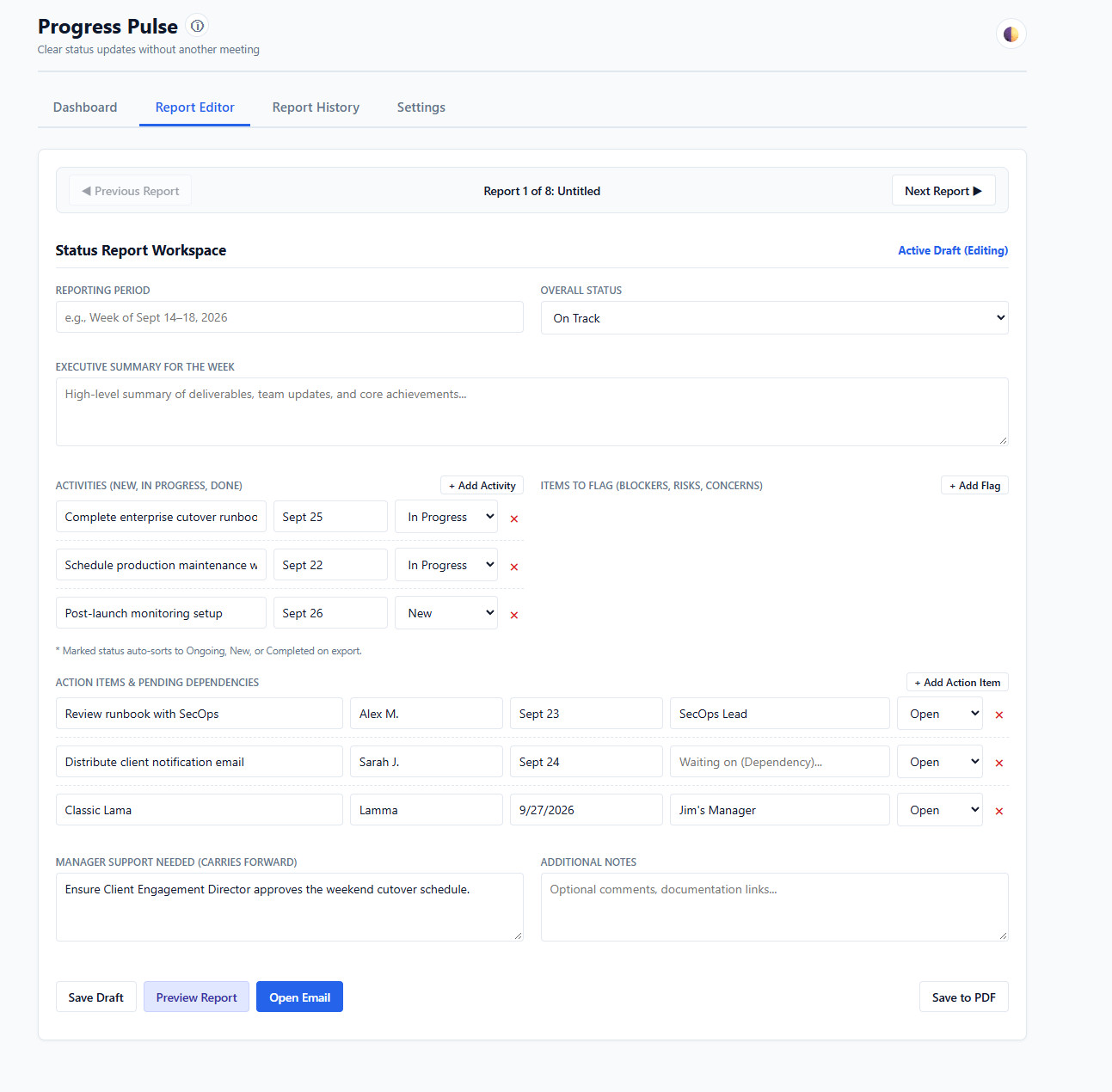
Guided Report Builder
Organize ongoing activities, new work, completed items, priorities, and important updates in one structured report.
Automatic Carry Forward
Open activities, action items, and manager-support items can carry into the next reporting period automatically.
Flag What Matters
Identify information, attention items, and urgent issues so important details don’t disappear inside a long update.
Track Actions & Dependencies
Keep open actions, owners, due dates, dependencies, and waiting items visible until they are resolved.
Open in Your Email
Progress Pulse prepares your status update and opens it in your default email application so you can review it before sending it to your manager.
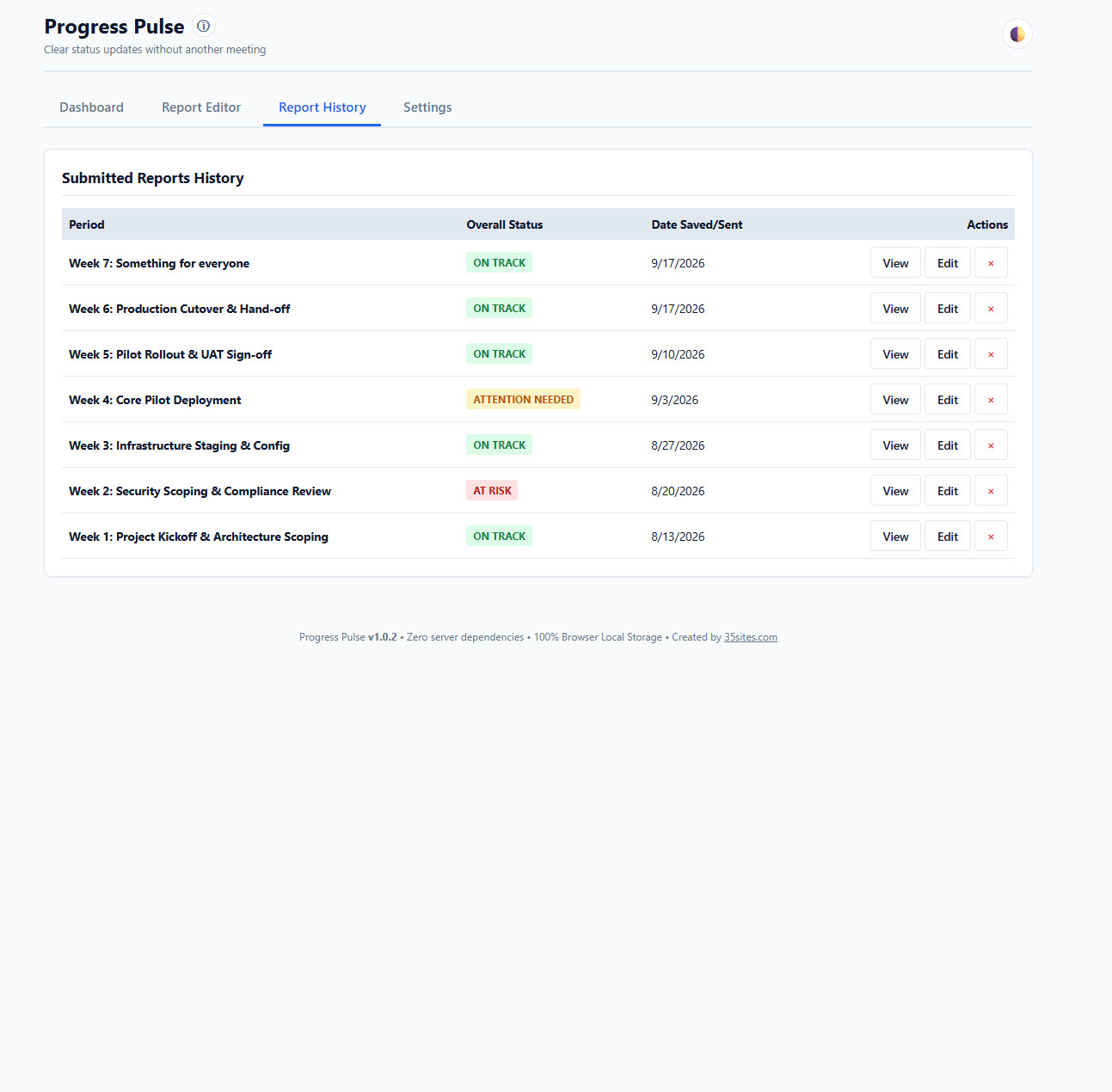
Report History
Keep previous reports available locally so you can review past activity and see how work has progressed over time.
Plan. Track. Report. Move Forward.
Capture the activities, priorities, and actions you’re working on.
Keep open items, dependencies, and support needs visible.
Prepare a clear, consistent update for your manager.
Carry unfinished work into the next report instead of rebuilding your status from scratch.
See Progress Pulse in Action
See how a status report is created, carried forward, reviewed, and prepared for your manager.
Your Status Reports. Your Browser.
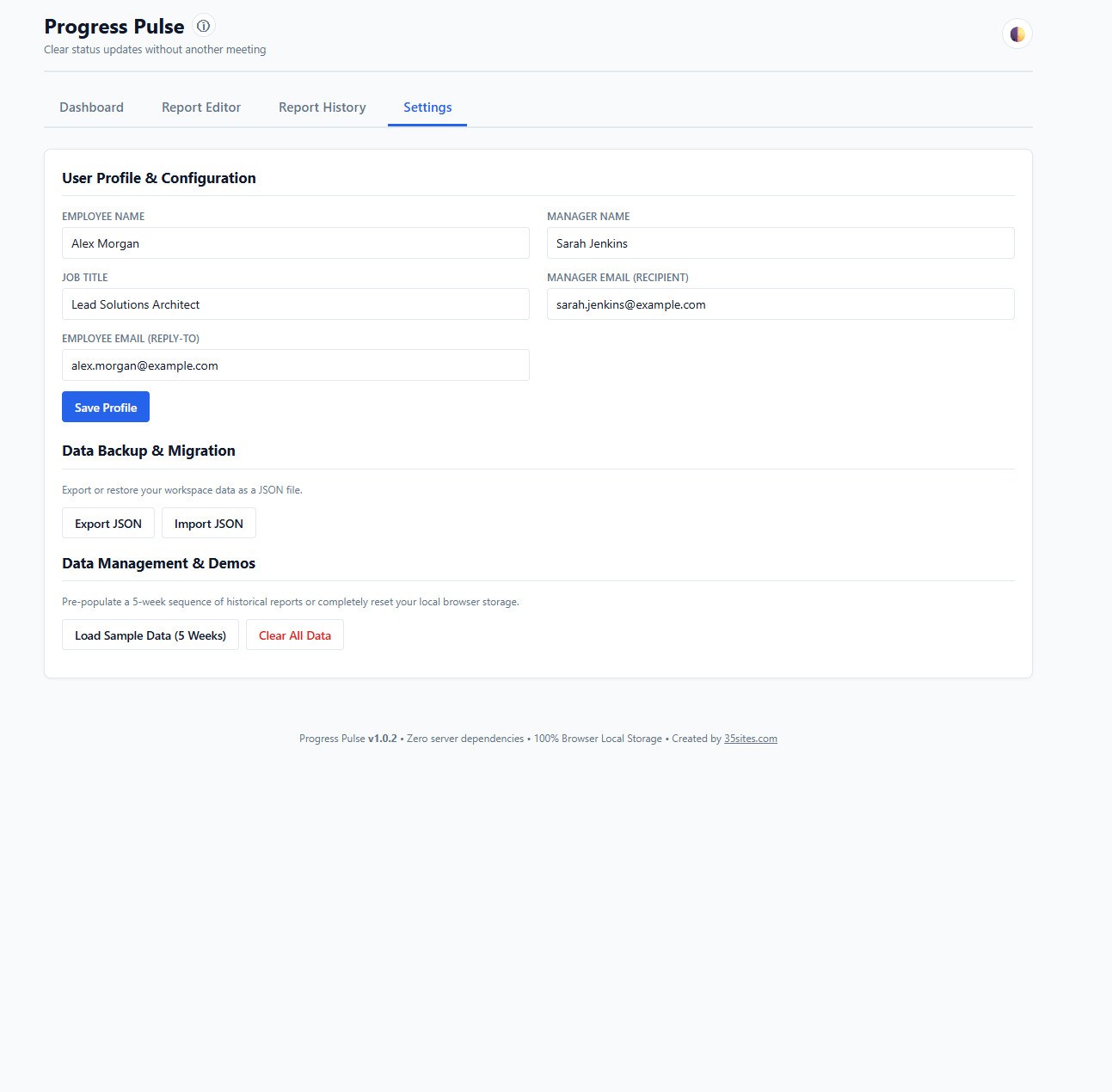
Progress Pulse follows the 35sites MicroApps local-first philosophy. Your profile, reports, history, and working data are stored in your browser’s local storage.
There are no accounts to create and no 35sites server storing your status reports.
Export your data to JSON whenever you want a portable backup, and import it again when you need to restore your information.
Built for Simple Employee-to-Manager Reporting
Useful anywhere someone needs to provide a regular, structured update without introducing another enterprise platform.
Employees
Keep accomplishments, open work, dependencies, and priorities organized.
Managers
Receive more consistent updates with clearer visibility into progress and support needs.
Small Teams
Establish a lightweight reporting rhythm without deploying another management platform.
Clear Updates. Less Administration.
Give status reporting enough structure to be useful without turning it into another system your team has to manage.
Get Progress PulseSimple tools for a more productive you.
Application Screenshots
Simple Enough to Use Every Week
Progress Pulse keeps status reporting focused on the information that matters — what you’re working on, what needs attention, what’s still open, and where support may be needed.